
Inventory
Keep track of your store cupboard, from towels and soap to bulbs and minibar drinks, and reorder before you run out.
Inventory in ChatBeds is your store cupboard: bath towels, soap, water bottles, light bulbs, cleaning products and anything else you keep on the shelf. (The rooms you sell are set up on the Rooms page, not here.)
For each item you set how many to keep. ChatBeds keeps a running count as stock is used, damaged, restocked or delivered. When an item runs low, the right supervisor is told, and one tap drafts an order to bring it back up.
po auto to order more.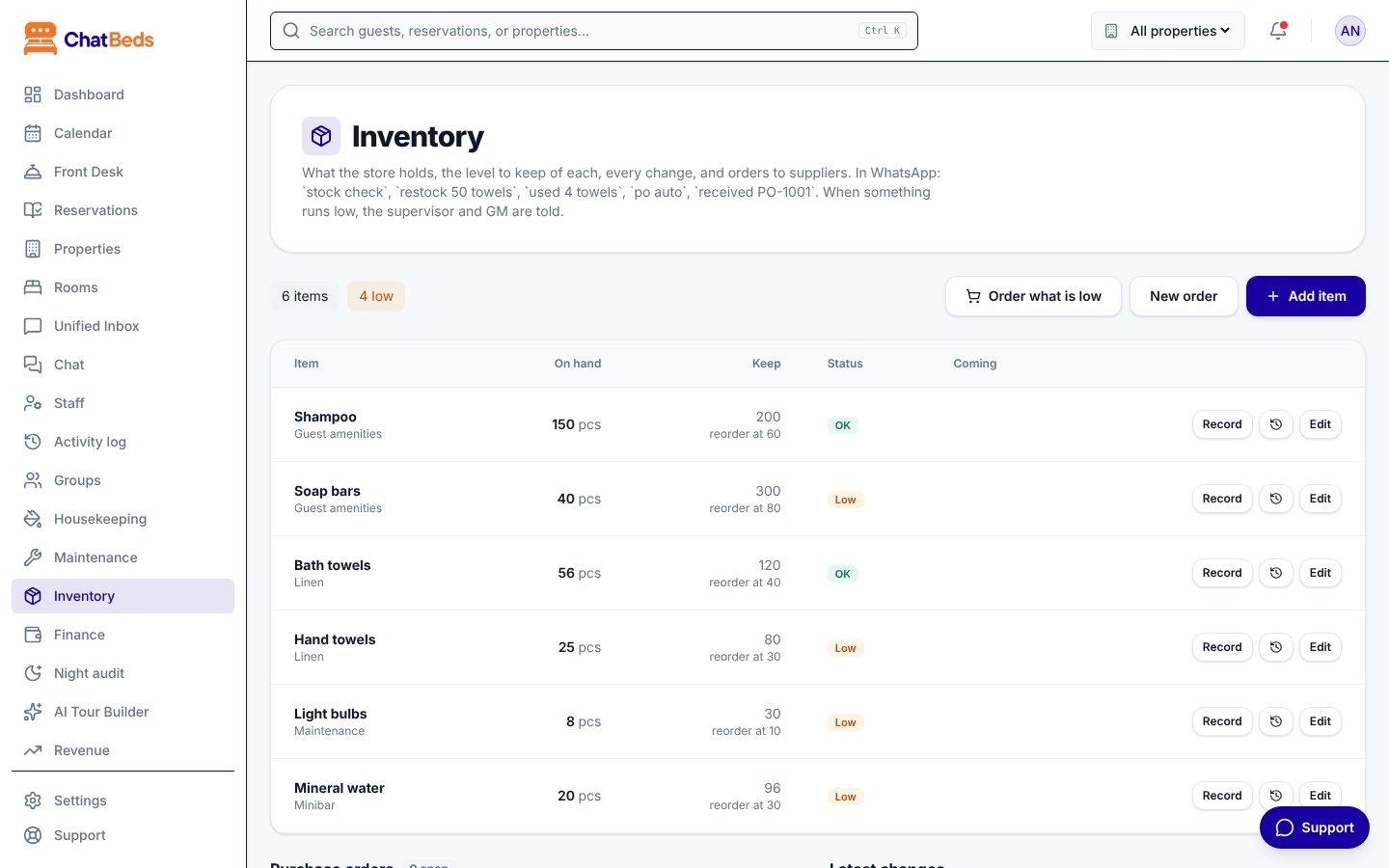
How it fits together
| Part | What it does |
|---|---|
| Items | What you keep, how it's counted, how many to keep, the supplier and the cost |
| The ledger | Every change to stock: restocked, used, damaged or lost, counted, received |
| Purchase orders | Orders to suppliers, from draft to received |
| Low-stock alerts | A WhatsApp alert to the right supervisor when an item runs low |
Open Inventory in the dashboard menu, or use WhatsApp. Staff can record stock as they take it, without walking to a computer.
In this section
Stock items
Add items, set par and reorder levels, suppliers and guest prices.
Using and counting stock
Record what is used, damaged, restocked or counted.
Purchase orders
Draft, send and receive orders to suppliers.
Low-stock alerts
Who is told when stock runs low, and when.
Minibar
Minibar drinks and snacks are stock items too. When housekeeping reports one taken, it's charged to the guest and taken out of stock. See Supplies and minibar.
Still need help?