
Money
Take payments, record expenses, close each day with the night audit, read your figures and pay room owners.
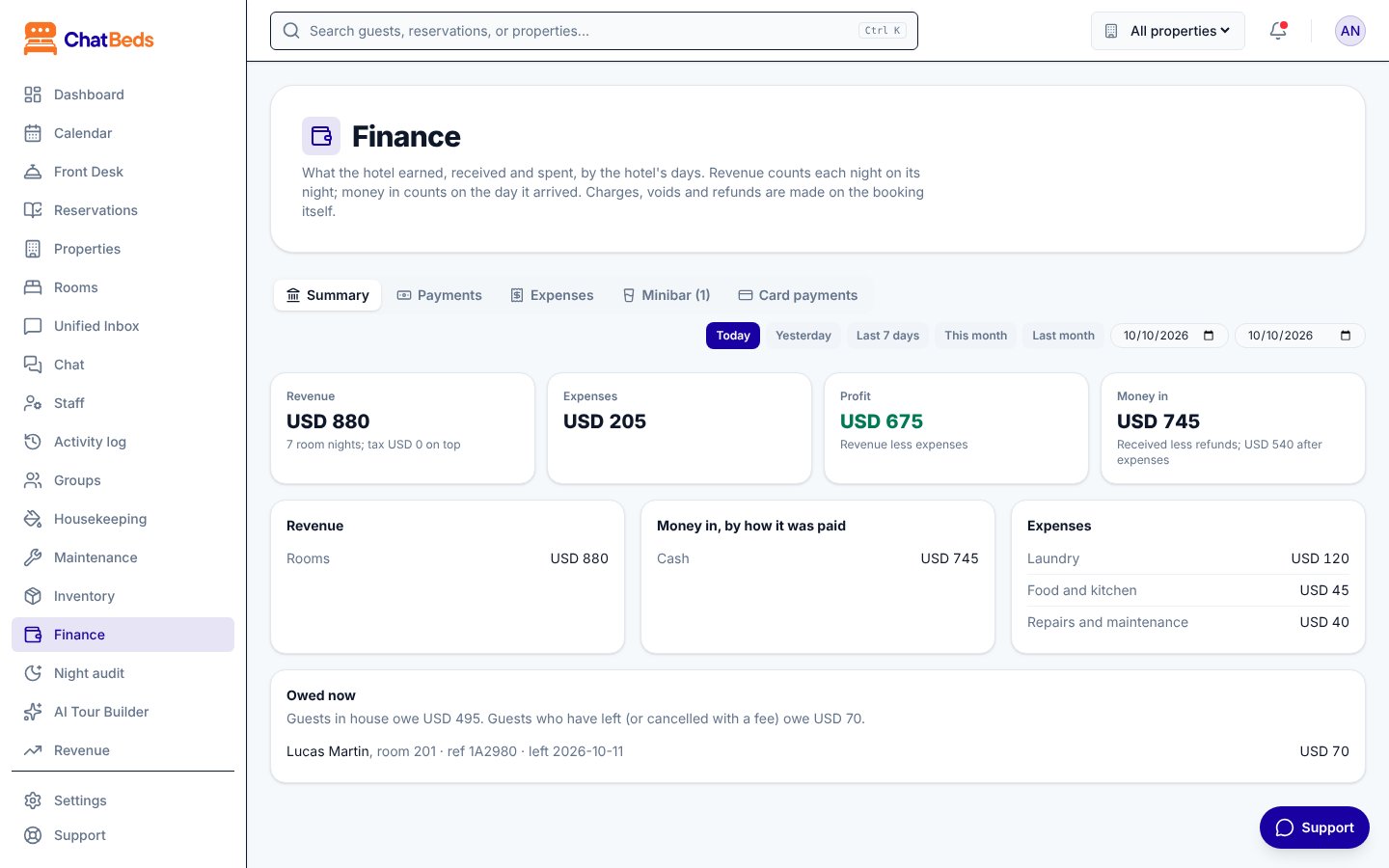
ChatBeds keeps every guest's bill, every payment and every expense in one place. Your figures (revenue, profit, occupancy, ADR and RevPAR) follow from them by themselves. You can see them on the dashboard, or ask for them in WhatsApp.
What you can do
- Take payments in cash, by card machine or by bank transfer, or send a card payment link through your own Stripe account.
- Record expenses from the Finance page or with a quick WhatsApp message like
expense 180 kitchen supplies. - Close each day with the night audit, which saves the day's figures and lists what still needs doing.
- Read your figures: profit and loss, occupancy, ADR, RevPAR and what guests still owe, plus a morning and evening briefing on WhatsApp.
- Pay room owners if you run rooms or apartments for their owners, with monthly statements and a private page for each owner.
Who sees the money
Owners and admins see the figures, expenses and Stripe settings. The front desk can take payments and make card links, but does not see the hotel's figures.
In this section
Payments
Cash, card and bank transfer, Stripe links, refunds and voids.
Expenses
Record what the hotel spends, from the dashboard or WhatsApp.
Night audit
Close each day and get the summary on WhatsApp.
Reports and figures
Profit and loss, occupancy, ADR, RevPAR and the daily briefings.
Owner Portal
Rooms you run for owners, commission and monthly statements.
Still need help?