
Reports and figures
See revenue, expenses, profit, occupancy, ADR and RevPAR on the dashboard, in WhatsApp and in the daily briefings.
ChatBeds works out your figures from your bookings, bills, payments and expenses. Nothing needs to be typed in twice. You can read them in four places: the Finance page, the Reports page, WhatsApp and the daily briefings.
Key terms
| Term | What it means |
|---|---|
| Occupancy | Rooms sold divided by rooms you could sell, as a percentage |
| ADR (average daily rate) | Room revenue divided by rooms sold |
| RevPAR (revenue per available room) | Room revenue divided by rooms you could sell |
| Revenue | Room nights, extras, fees and other charges, each on the day it is for. Tax is shown apart, not as revenue |
| Profit | Revenue less expenses |
| Money in | Payments less refunds, on the day the money arrived |
Example: Pearl Hotel has 20 rooms. Last night 12 were sold for $1,440 in total. Occupancy is 60%, ADR is $120 ($1,440 ÷ 12), and RevPAR is $72 ($1,440 ÷ 20).
Profit and loss (Finance page)
Go to Finance → Summary. Choose Today, Yesterday, Last 7 days, This month, Last month, or Custom with From and To dates (up to a year).
You see:
- Revenue, split into rooms and extras and other charges;
- Expenses, by kind;
- Profit: revenue less expenses;
- Money in, by how it was paid;
- Owed now: what guests in house owe, and guests who have left but still owe (listed so you can chase them).
Only owners and admins see the Finance figures.
Profit and loss in WhatsApp
The owner and GM can send p&l today, p&l yesterday or p&l month. (pnl and profit work too.)
Occupancy and performance in WhatsApp
| Send | What you get | Who |
|---|---|---|
occupancy | Rooms and arrivals right now | Owner, GM, front desk, housekeeping supervisor |
revpar | Occupancy, ADR and RevPAR tonight and over the last 7 nights | Owner, GM, front desk manager |
forecast | Occupancy and room revenue on the books for the next 14 nights | Owner, GM, front desk manager |
pickup | Bookings made in the last day and week | Owner, GM, front desk manager |
briefing | The morning or evening briefing, by the time of day | Owner, GM, heads of department |
Daily briefings
ChatBeds sends short briefings to WhatsApp at your hotel's local time:
| Time | Briefing | Who gets it | What's in it |
|---|---|---|---|
| 07:00 | Operations | Owner, GM, heads of department | Arrivals and departures, rooms to clean and inspect, rooms out of order, open maintenance, low stock, who is on duty |
| 08:00 | Morning | Owner, GM | Yesterday's revenue, occupancy, ADR and money in; today's arrivals, departures, occupancy and rooms left to sell; what is owed; RevBot suggestions and channel clashes waiting |
| 20:00 | Evening | Owner, GM | Today's revenue, expenses and profit so far; guests still to arrive or leave; bookings made and cancelled today; tomorrow's arrivals |
Each person chooses which alerts reach them on the Staff page. See Alerts and shifts.
The night audit also sends its own summary when it closes each day. See Night audit.
The Reports page
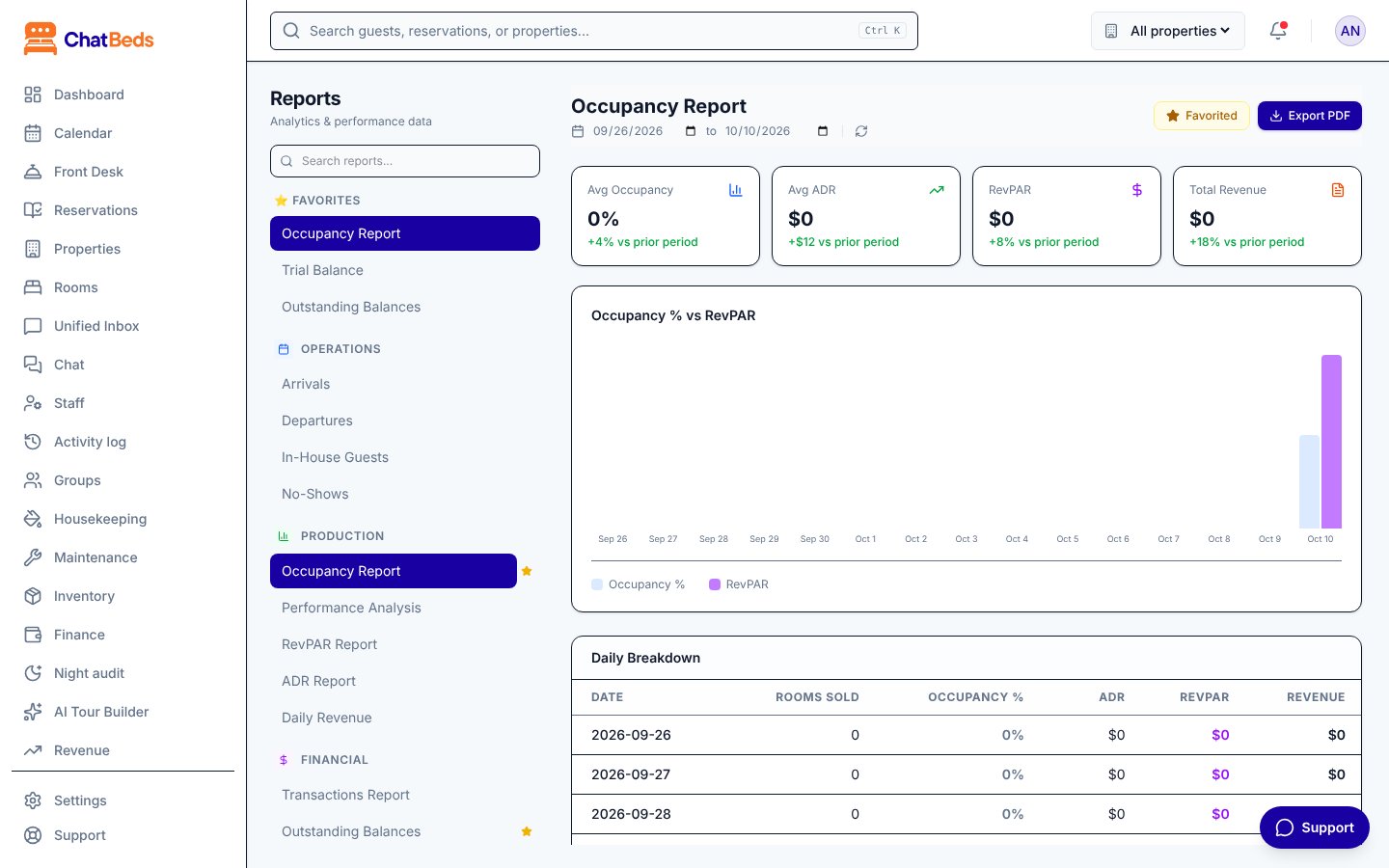
Go to Reports for detailed reports over the dates you choose. Click Favorite to keep the ones you use most at the top.
| Group | Reports |
|---|---|
| Operations | Arrivals, Departures, In-House Guests, No-Shows |
| Production | Occupancy Report, Performance Analysis, RevPAR Report, ADR Report, Daily Revenue |
| Financial | Transactions Report, Outstanding Balances, Night Audit, Trial Balance |
| Guests | Guest History |
More than one property
If you run several hotels, Analytics shows them side by side: occupancy, ADR, RevPAR and revenue for each property. Amounts stay in each property's own currency and are never added across currencies. See Multiple properties.
Still need help?