
Groups
What the Groups page shows today, and how to book a group so its rooms are kept.
Groups are guests who travel together: a wedding party, a tour or a company team. The Groups page in the menu gives an overview of group room blocks.
Still being built
The Groups page is an overview only for now. A room block on it does not hold rooms on the tape chart, and its pickup figures are not linked to real bookings yet. To make sure a group's rooms are kept, book each room as its own reservation, as shown below.
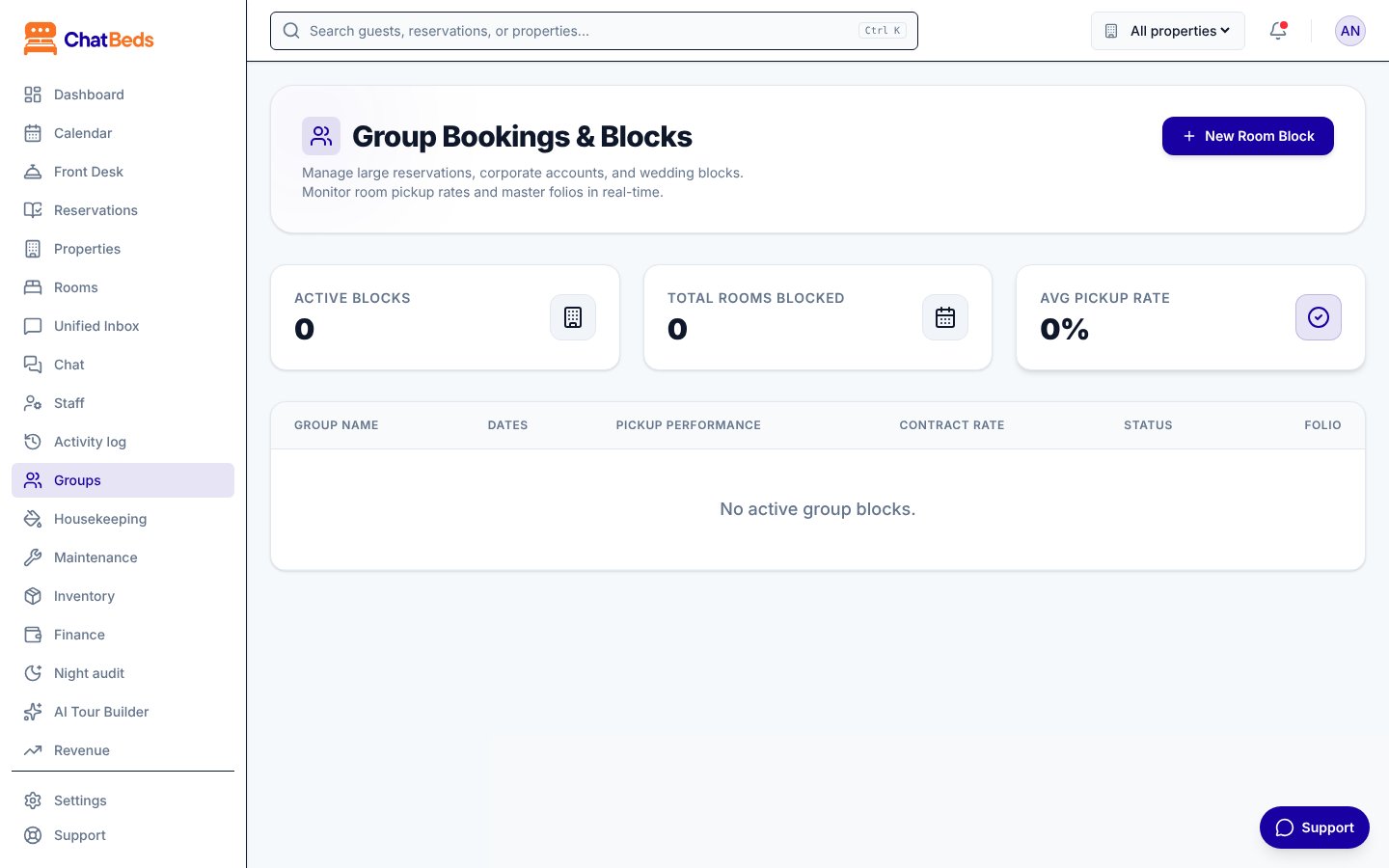
What the Groups page shows
At the top, three figures:
| Figure | Meaning |
|---|---|
| Active Blocks | How many group blocks are listed |
| Total Rooms Blocked | Rooms listed across all blocks |
| Avg Pickup Rate | Rooms picked up out of rooms blocked |
Below, each block shows its Group Name, Dates, Pickup Performance, Contract Rate and Status.
Booking a group today
Book each room in the group as a normal reservation. This holds the rooms, prices them and puts them on the tape chart.
Make the first booking
Click New reservation. Choose the dates and a room, or a room type with Assign later if you don't know the rooms yet.
Agree the group price
If you agreed a group price, type it in Agreed room price for that room's whole stay.
Note the group
In Note for the team, write the group's name, for example "Moore wedding". Everyone who opens the booking sees it.
Repeat for each room
Make one booking per room. Search Reservations for the lead guest's name or each reference to find them later.
Tips for groups
- Room types first, rooms later. A booking for a room type holds one room of that type each night, so the hotel can't be oversold. Assign the actual rooms closer to arrival.
- One bill per room. Each booking has its own bill. Take payments on each one. See Folios and payments.
- Check them in one by one from Front Desk → Arrivals.
Still need help?