
Housekeeping
Get every room from check-out back to ready, with a live board and simple WhatsApp messages.
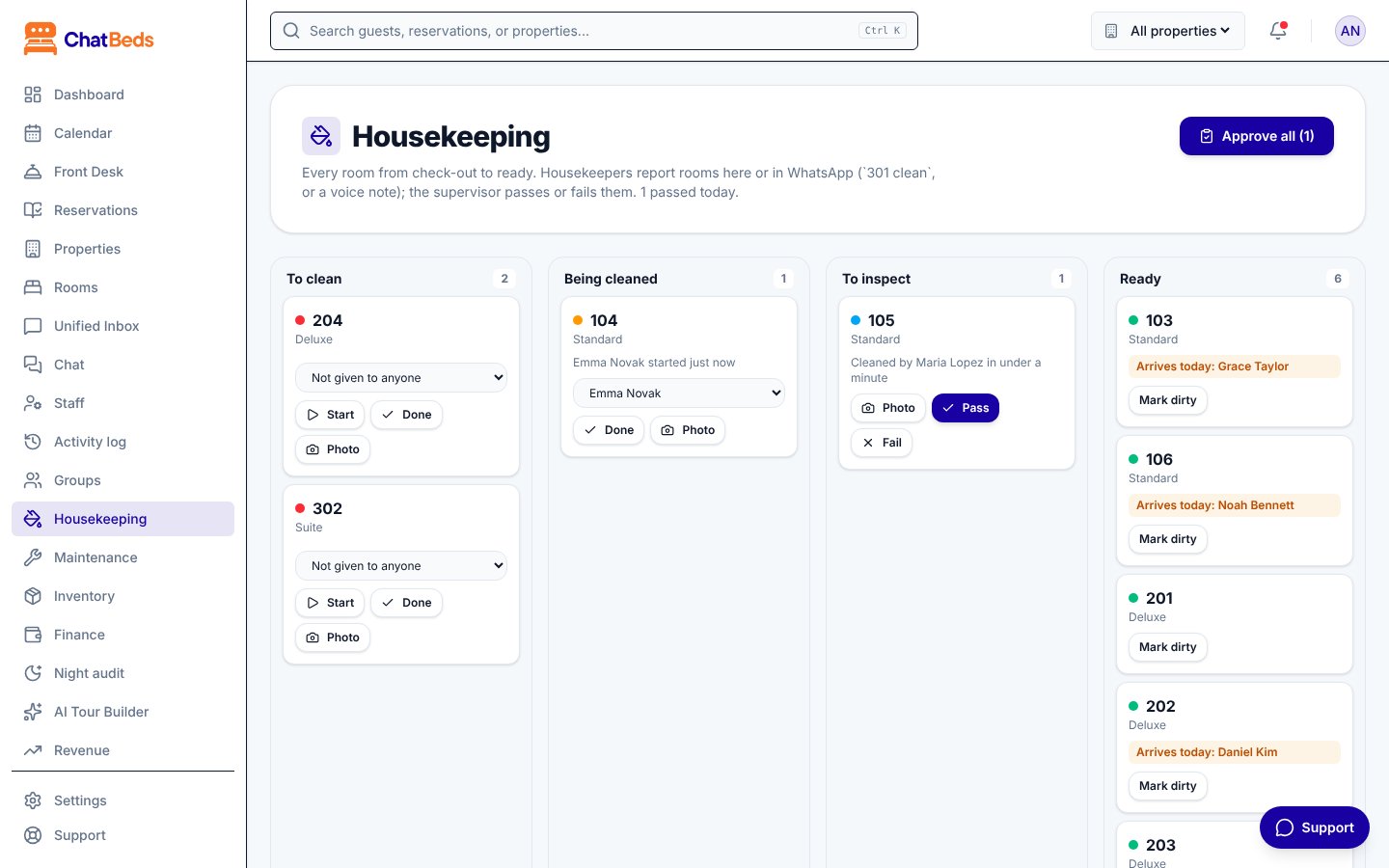
Housekeeping in ChatBeds follows one simple loop. When a guest checks out, the room becomes dirty and the housekeepers on duty are told. A housekeeper cleans it and reports it done. A supervisor inspects it and passes it. The room is ready to sell again.
| Step | Room status | How |
|---|---|---|
| Guest checks out | Dirty | Automatic; housekeepers on duty are told |
| Housekeeper starts | Being cleaned | 301 cleaning, or Start on the board |
| Housekeeper finishes | To inspect | 301 clean, a voice note, a photo, or Done |
| Supervisor passes | Ready | 301 pass, or Pass |
| Supervisor fails | Dirty again | 301 fail redo the bathroom, or Fail |
Housekeepers don't need the dashboard. They work from WhatsApp, typing or sending voice notes in their own language. Supervisors and managers can use either.
The board on the dashboard updates by itself the moment anything happens in WhatsApp or at the front desk.
In this section
The housekeeping board
Four columns from dirty to ready, and what each card shows.
Cleaning from WhatsApp
Messages and voice notes housekeepers send, and the order of work.
Inspections and photo checks
Pass or fail rooms, and how the photo check helps.
Supplies and minibar
Ask for towels and report what was taken from the minibar.
Floors and assignments
Give rooms to people and split the work by floor.
Alerts follow shifts
Housekeepers get room alerts while they are on duty. They start a shift with clock in. See Alerts and shifts.
Still need help?